Documentation / Shifts
Shifts
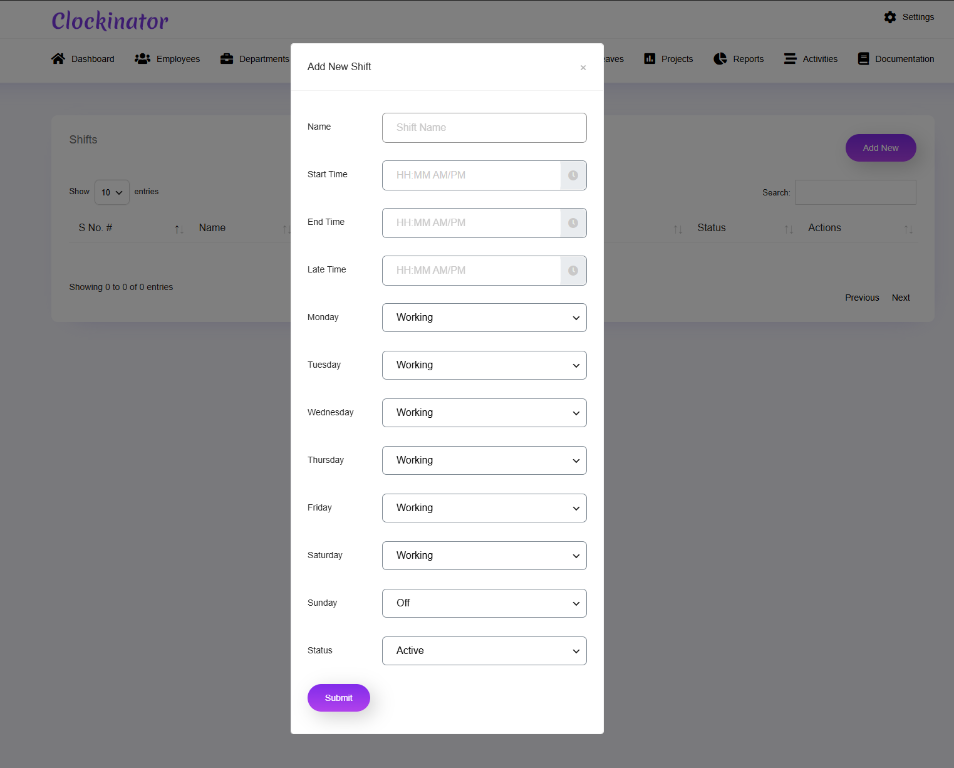
What this screenshot shows
Use the Shift modal to define the working schedule used by employees. Set the shift information and working days/times displayed in the form, then save the shift before assigning it to employees.
- The modal contains the shift's core scheduling fields.
- Start/end time and weekday selections define the working schedule shown by the UI.
- Review every selected working day before saving the shift.
- Customer tip: Use the screenshot as a visual guide, but follow the field-by-field instructions on this page for the exact configuration.
Shifts define employee working schedules and are used by the plugin's attendance/working-hour logic.
Creating a shift
- Open Clockinator Pro → Shifts.
- Create a new shift.
- Set the schedule fields shown by the form.
- Save the shift.
- Assign the shift to employees where supported by the employee workflow.
The source contains dedicated shift controllers/actions and working-hours logic. Do not manually infer overtime or late-time formulas from the UI; use the behavior of the installed version for operational decisions.