Documentation / Frontend Dashboard
Frontend Employee Dashboard
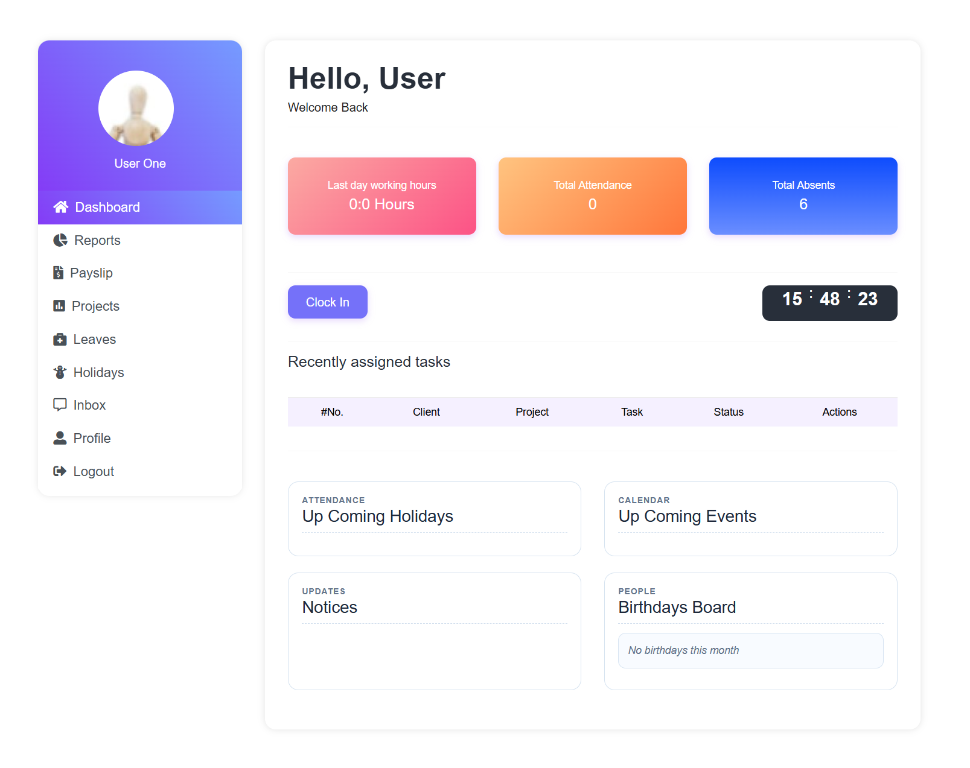
What this screenshot shows
This is the employee-facing dashboard rather than the WordPress administration screen. It provides the logged-in employee with access to the workforce features exposed on the frontend, including the summary cards and navigation visible in the screenshot.
- The left navigation provides employee-facing access to available modules.
- Summary cards present the employee's current information at a glance.
- The dashboard is separate from WordPress administration and is intended for logged-in staff use.
- Customer tip: Use the screenshot as a visual guide, but follow the field-by-field instructions on this page for the exact configuration.
Clockinator Pro provides the [btcl-dashboard] shortcode for its front-end dashboard. The source also registers individual dashboard shortcodes for specific employee views.
Basic setup
- Create a WordPress page.
- Place
[btcl-dashboard]in the page content. - Configure the plugin's dashboard/page settings as required by your installation.
- Log in as a test employee and verify the dashboard.
Note: The plugin also has employee-facing admin-menu registrations based on the employee record role. Verify the intended employee role and dashboard access before publishing the page.