Documentation / Leaves
Leaves
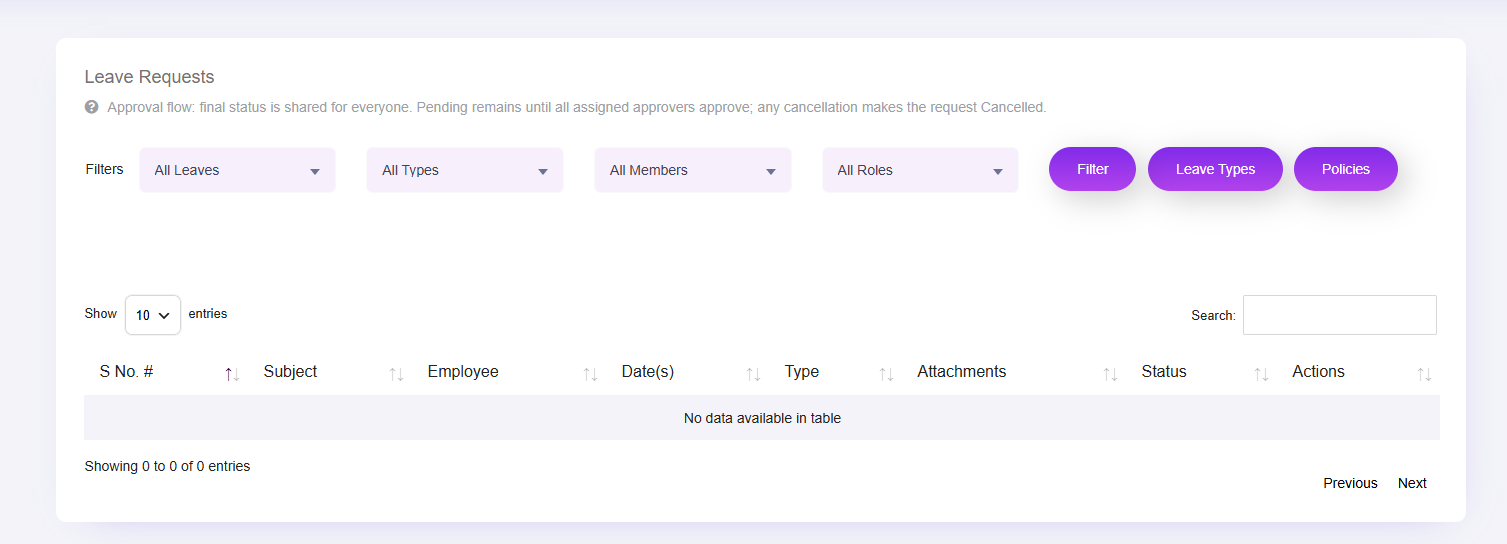
What this screenshot shows
This screen provides the administrative view of employee leave requests. Use the available filters to locate requests and review their status before taking the appropriate management action.
- The top area contains filters for narrowing leave requests.
- The table presents request records and their current status.
- Use the row actions/status controls to review and manage requests.
- Customer tip: Use the screenshot as a visual guide, but follow the field-by-field instructions on this page for the exact configuration.
The Leaves module manages employee leave requests and administrative review. The admin view exposes filters for status, leave type, member and role, including Employee, Manager and HR Manager.
Admin workflow
- Open Clockinator Pro → Leaves.
- Filter requests as needed.
- Review the employee/request details.
- Approve, reject or otherwise process the request using the actions provided by the installed version.
- Confirm the final status.
Employee workflow
Employees can use the employee-facing leave interface when the corresponding dashboard/menu is enabled for their account.