
Projectinator pro
Plan work, bring teams together and keep clients in the loop—right inside WordPress.
Projectinator Pro brings projects, tasks, milestones, subtasks, bug tracking, team collaboration, client visibility, time logs and project invoicing into one organised workspace. Keep the delivery process close to your WordPress site instead of scattering updates across disconnected tools.
Unlimited
Projects & tasks
<60KB
Admin JS payload
4.9/5
Support rating
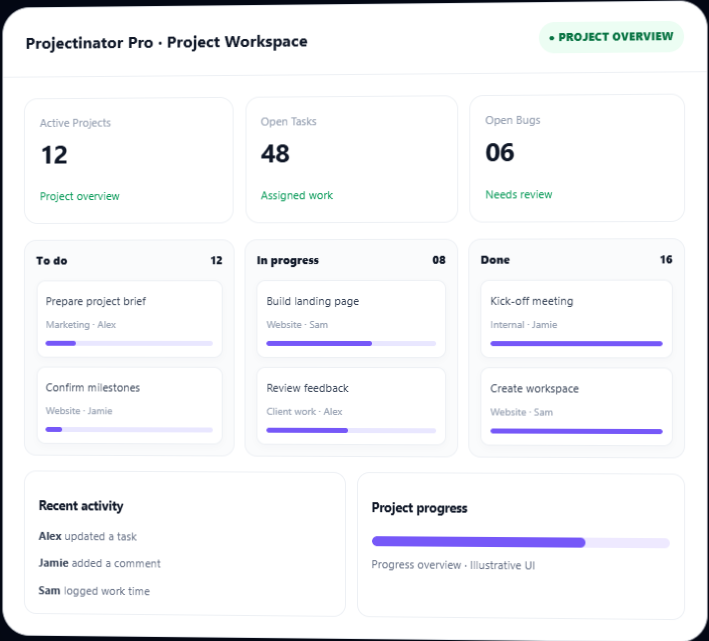
Everything your team needs to move projects forward
Coordinate delivery, communication and client work from one place, with records that stay accessible in your WordPress environment.
Centralised Project Dashboard
Get a high-level view of project and task activity without opening every record individually.
- Project and task status summaries
- Charts for projects, tasks, subtasks and bugs
- Recent activity and key updates
- Separate admin and team-facing workspaces
Project & Milestone Planning
Set up projects with their team, client and key delivery details.
- Project descriptions and categories
- Start dates and due dates
- Team and client assignment
- Milestones to organise project phases
Tasks & Subtasks
Break project deliverables into work items that can be assigned and tracked.
- Link tasks to projects and milestones
- Assign team members to tasks
- Create subtasks for smaller actions
- Review status, due dates and task details
Teams, Members & Departments
Organise contributors and give them a clear place in your project structure.
- Create and manage teams
- Maintain member records and departments
- Assign teams and members to projects
- Connect existing WordPress users where appropriate
Client Portal & Project Visibility
Let clients follow the projects connected to their account through a dedicated client dashboard.
- Client records and project association
- Project progress and status visibility
- Project updates and related communication
- Role-specific access rather than general admin access
Bug & Issue Tracking
Capture project bugs and assign them to the people responsible for resolving them.
- Create and update bug records
- Associate issues with project work
- Assign bugs to team members
- Review issue status from project dashboards
Working Hours & Time Logs
Record work time and review the hours associated with project activity.
- Working-hour calculation and work-time records
- Time summaries for project reporting
- Review team activity and logged work
- Use available time records to support billing workflows
Project Invoices
Create project-related invoices for clients and keep invoice records close to delivery work.
- Create, view and edit invoices
- Associate invoices with client records
- Keep track of project income records
- Use configured company and currency details
Inbox, Messages & Discussions
Keep project conversations and team communication connected to the workspace.
- Inbox/chat functionality for members and administrators
- Project-related messages and alerts
- SMS settings and templates when a provider is configured
- General settings for date, time, currency and company branding
Files & Project Documents
Keep project-related uploads organised and accessible from a central file area.
- File manager with folder-oriented organisation
- Project-related media and uploads
- Review relevant files from project workflows
Activity Tracking & Reports
Review work activity and produce reports to support project follow-up.
- Activity tracking for administrators and team members
- Project and task reporting views
- Working-hour calculations and report summaries
- Recent activity to help teams follow changes
Announcements & Notifications
Share important updates and configure alerts for project activity.
- Announcements for members
- Email notification alerts and templates
- SMS settings and templates when a provider is configured
- General settings for date, time, currency and company branding
Turn a project brief into coordinated team work
Projectinator Pro connects project setup with milestones, assigned tasks and team communication. Team members can focus on their assigned work, while clients can follow the progress of their projects through the supported client dashboard.
- Create a project and set the team, client and delivery dates
- Break the project into milestones, tasks and subtasks.
- Assign tasks and bugs to the responsible team members
- Keep discussions, messages and files close to project activity
- Review reports, work time and project invoice records as work progresses
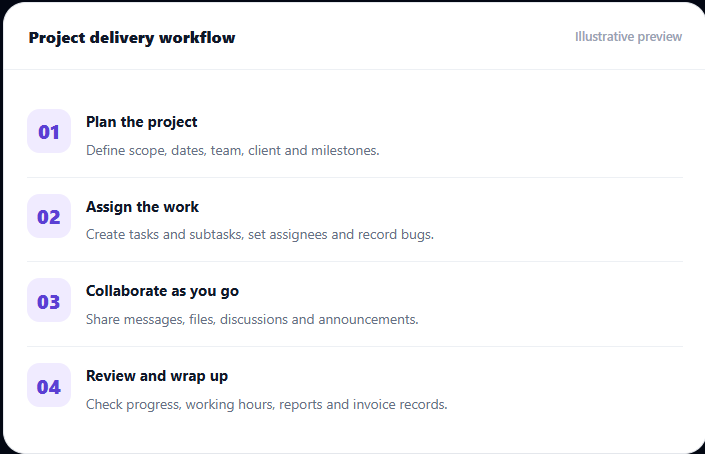
A repeatable workflow for every project
Keep project delivery structured without separating planning, collaboration and client updates into different systems.
01
Set up people
Create departments, teams, members and client records.
02
Plan the project
Add the project, assign a team and client, then define dates and milestones.
03
Deliver together
Assign tasks, resolve bugs, share files and keep communication moving.
04
Review the work
Track activity, review logged hours, generate reports and manage invoices.
Keep everyone focused on their part of the project
Projectinator Pro supports distinct administrator, team leader, team member and client workflows.
Administrator
Manage projects, teams, members, clients, invoices, settings, reports and workspace-wide activity.
Team Leaders
Coordinate assigned teams and project work, follow task status and help resolve delivery issues.
Team Members
Access assigned projects and tasks, work on subtasks, report bugs and collaborate with the team.
Clients
Use the client dashboard to follow associated project progress, updates and related information.
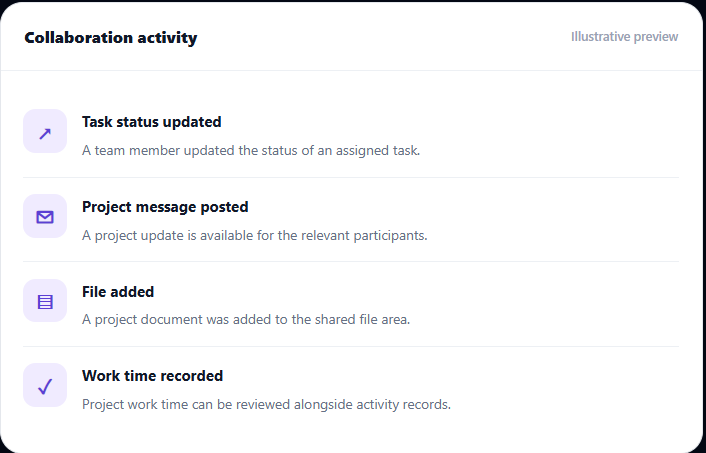
Keep project conversations close to the work
When updates, discussions and files live beside project records, team members can find the information they need without piecing together a scattered conversation history.
- Use inbox/chat functionality for member and administrator communication
- Organise group discussions around team collaboration
- Publish announcements and configure email or SMS notifications
- Store project-related files in the plugin's file management area
Choose the licence for your team
One-time purchase with lifetime usage, lifetime updates and one year of premium support, according to the listed licence terms.
Personal License
For one website.
$25/one-time
- Use on unlimited websites
- Unlimited projects and tasks
- Full project and collaboration workflows
- Client access and team management
- Reports, work hours and invoice management
- One year of premium support
Business License
For teams managing up to five websites.
$59/one-time
- Use on unlimited websites
- Unlimited projects and tasks
- Full project and collaboration workflows
- Client access and team management
- Reports, work hours and invoice management
- One year of premium support
Developer License
For unlimited websites.
$99/one-time
- Use on unlimited websites
- Unlimited projects and tasks
- Full project and collaboration workflows
- Client access and team management
- Reports, work hours and invoice management
- One year of premium support
What you get with your licence
Full technical details, compatibility and support terms for this product.
Regular License - $25
- Quality checked by Envato
- Included future updates
- 1 year premium support from BeastThemes
Last update
07 April 2026
Published
22 Feb 2021
Version
1.2.1
Licence
GPL
Layout
Responsive
Compatible with
Elementor, WordPress 7.4, Divi Builder
Browsers
IE11, Firefox, Safari, Opera, Chrome, Edge
Files included
JavaScript JS, JavaScript JSON, HTML, CSS, PHP, SQL
Sales
220+ sales


Every Pro licence includes
- Unlimited projects, tasks and users
- Client portal with granular permissions
- REST API and developer hooks
- One year of updates and priority support
- Translation-ready with RTL support
- 30-day money-back guarantee
Frequently asked questions
Important details before adding Advanced Reports & Analytics to Clockinator Pro.
Is Projectinator Pro a WordPress plugin?
Yes. Projectinator Pro is installed and activated in WordPress, where it adds project-management panels for administrators and supported team/client dashboards.
Can I manage tasks and subtasks?
Yes. Tasks can be associated with projects and milestones, assigned to team members, and broken down into subtasks.
Can clients see project progress?
Yes. The plugin includes a client dashboard so clients can follow their associated project progress and updates with role-appropriate access.
Does it include bug tracking?
Yes. You can create project bug records and assign them to team members for follow-up and resolution.
Can I track time and manage invoices?
The plugin includes working-hour calculation/time records and project-related invoice management to keep work tracking and client billing records connected.
Can I send email or SMS notifications?
Email notifications and templates are included. SMS settings and templates are available; sending SMS requires the supported provider and credentials to be configured.
Bring project planning, team collaboration and client updates into WordPress.
Keep tasks, milestones, bugs, work time, files and project communication connected with Projectinator Pro.